Digital
QR Menu

For only 15 GEL per month! Create and manage a digital QR menu for your restaurant, cafe-bar, fast food or any other type of food establishment

10-day free trial period
WEBMENU

webmenu.ge is a platform through which, independently, after going through a few simple steps, you can create a full-fledged digital menu that can be used either as a link, e.g. https://webmenu.ge/example , or via a QR code generated according to the same link.

Multilingual support

When scanning the QR code, the user will be able to choose which language they want to view the menu in.

  • Initially, 5 languages are active (Georgian, English, Russian, Hebrew, Turkish)
  • Request your preferred language and we will add it to your menu as soon as possible.
  • Automatic translation!!! It is enough to enter the text in one desired language, the system will automatically translate it into the remaining languages.
  • Choose which language you want to display the menu in (enable or disable the appropriate language in the control panel)
Multi-language support
waiter call and bill request buttons

Waiter/bill request

  • Enable the appropriate functionality in the control panel.
  • Receive Live notifications in the appropriate panel

Creating packages

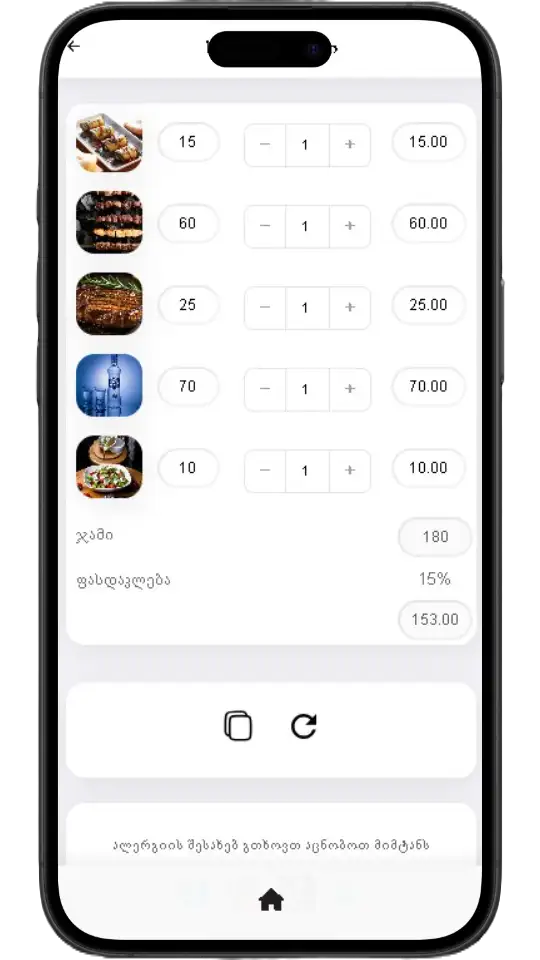
For corporate orders and more, you can create an unlimited number of individual submenus and packages.

  • Select dishes from the available menu
  • Save the package with the desired features (discount, service percentage removal, editing capabilities)
  • Copy the link and send it to your customer.
create menu packages
Dish select and menu share

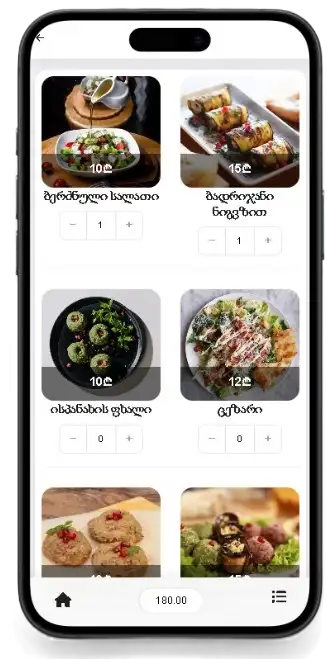
Ability for customers to choose a dish and share the menu

  • Customers can choose their own dishes
  • Copy the link to the created menu, share it with friends or send it to you
  • You can enable or disable this feature from the control panel.

Create a dynamic advertising banner

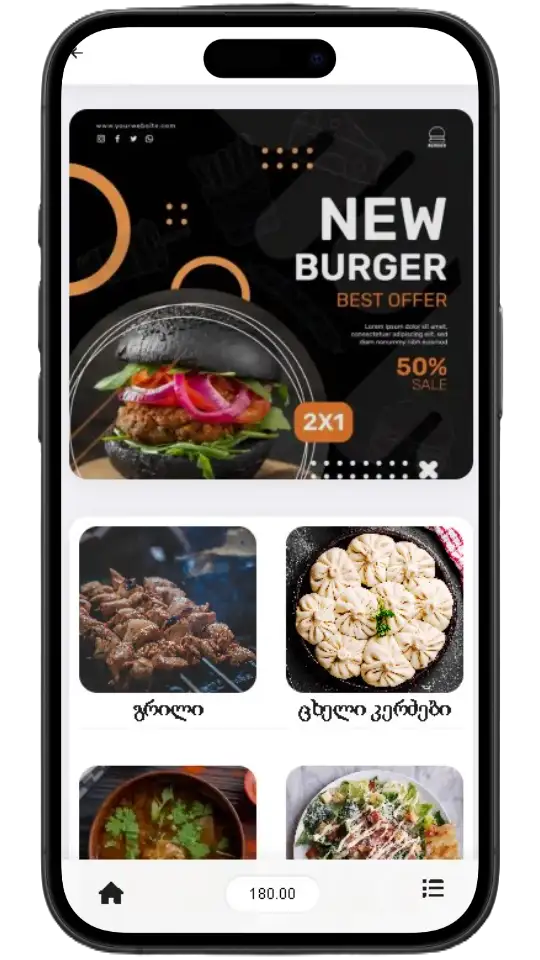
You can create a small advertising banner that will appear at the top of the menu, for example "Dish of the Day", "Discount", "Signature Dish", etc.

  • Upload a photo of the dish you are advertising, or any other photo you want to appear to customers.
  • Specify the desired advertising or informational content text.
  • You can enable or disable the functionality from the control panel.
ad banner
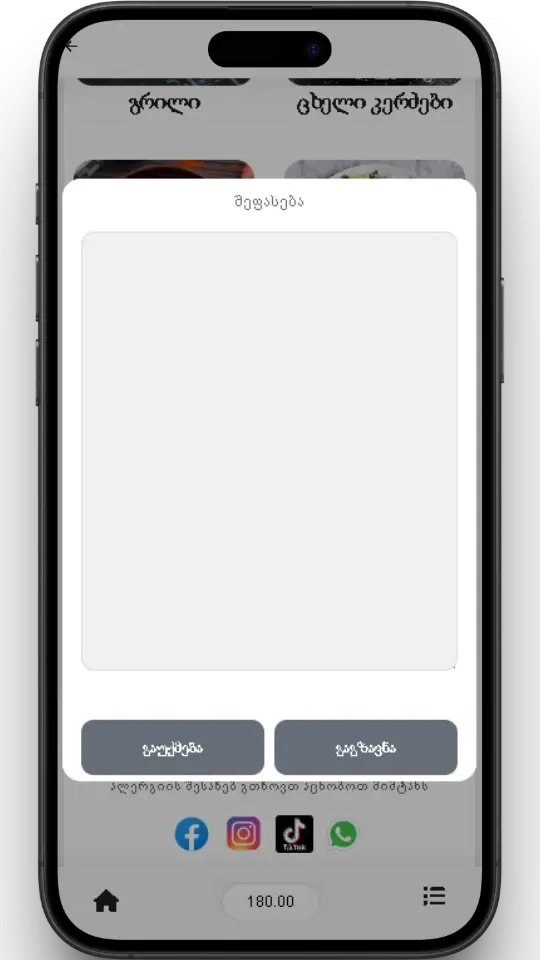
customer review module

Evaluation module

Understand your customer's opinion! Through the rating module, customers can share their opinion about the quality of the dish or service.

  • You can control this functionality from the control panel.
  • Receive an email notification for every assessment

Google Review

Rate us on Google button integration

  • If you have a Google Business Profile , you can save the relevant link in the menu management panel and the Google review button will be instantly added to the menu.
rate us on google integration

Additional functionality

Removing the dish

If a dish is temporarily unavailable, instead of deleting it, you can temporarily remove it, the change will be reflected in the menu instantly.

Dish composition

If desired, you can add ingredients that will appear when the user selects a dish. You can enable or disable this functionality at any time.

Set the desired photo as wallpaper

On the menu language selection page, you can upload a photo of your restaurant or any other photo you like.

Manage menu layout

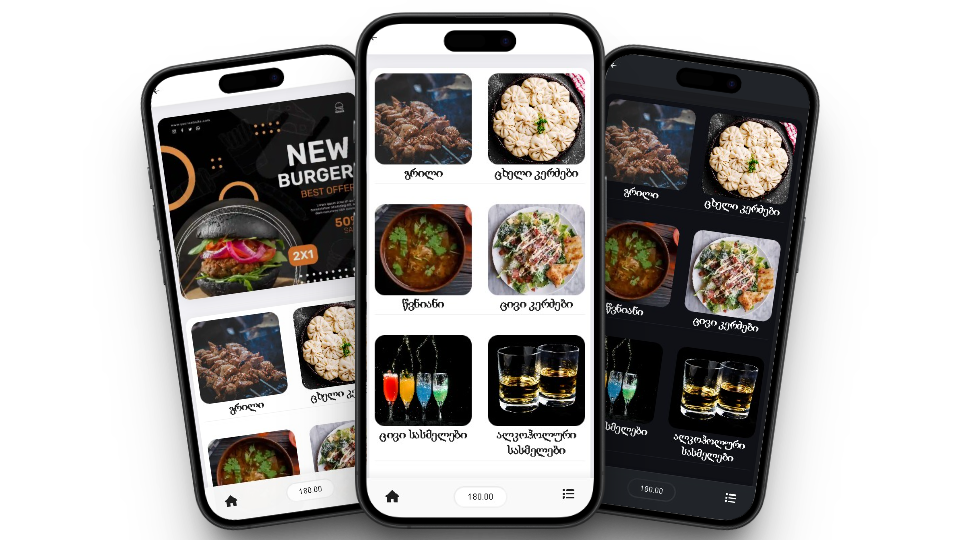
Initially, the menu has a two-column layout, from the control panel you can change the layout and display the menu in one column.

Manage the order of a category or dish

Initially, categories and dishes will appear in the menu in the order they were added, but you can change the order, for example, move the most recently added dish to the first place, etc.

Informative comment

At the bottom of the menu, you can add an informative comment with the desired content, for example, "Inform the waiter about allergies" or something else.

Ready QR code

You can download the generated QR code in high-quality SVG format or print it directly on any A4 printer.

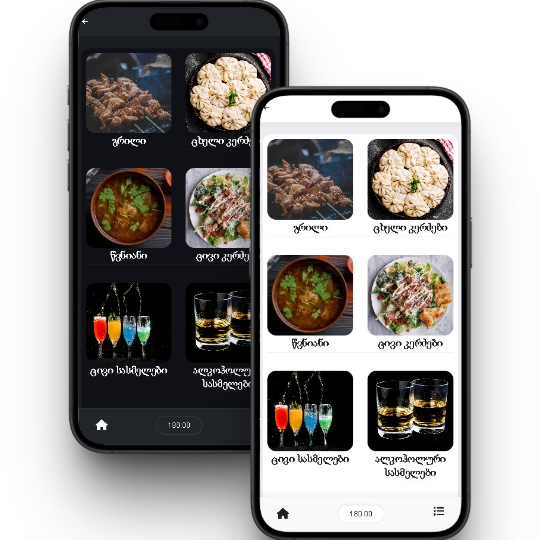
Choose between Light and Dark themes

From the control panel, you can choose a menu theme that suits you.

Social media and contact information

Ability to add social media pages and contact information

Example 1

Example 2

* Prices are given for one menu, regardless of the number of tables and objects

S-Package
₾60
  • Expiration date 3 Month
  • 20 ₾ per month
Purchase
M-Package
₾90
  • Expiration date 6 Month
  • 15 ₾ per month
Purchase
L-Package
₾180
  • Expiration date 12 Month
  • 15 ₾ per month
Purchase

Frequently Asked Questions

After registration, you can directly create an empty menu, then add categories and add the corresponding dishes to the same categories. When creating a category and dish, it is necessary to upload a photo, as well as specify the name and price. If you do not have photos of the dish yet, you can create a menu using only 2 photos, one common photo for the categories and one for the dishes. In this case, you can use any photo you want, for example, a logo. If the 10-day trial period is not enough for you, you can write to us and we will extend the period.

None! The trial period has all the features of the paid package, and the menu created during the trial period will remain unchanged if you choose and purchase a package. After the trial period, you will not be limited in menu creation and editing functions, however, the user will not be able to view the menu when scanning the QR code.

After the package expires, if the QR code is scanned, the customer will no longer see your dishes, however, the created menu will not be deleted and you will be able to renew the package at any time, while the restaurant's QR code remains unchanged.

Unfortunately, it is not possible to stop using the service. If you have a seasonal business and need the QR menu for a short period of time, you can purchase the shortest three-month package.

Yes, if you own multiple restaurants, you can add an unlimited number of restaurants from the home page and manage them from a single account, however, you will need to purchase a separate package to use the QR menu for each additional restaurant, and different packages can be used for different restaurants.

If you are already using a package, purchasing a new package will extend the product's validity period. For example, if you purchased a 3-month package and two months have passed, and you purchase a 6-month package, you will be able to use the product for 7 months.

Create a QR menu easily